
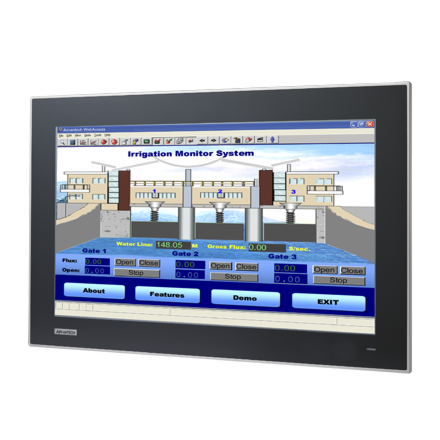
18.5" Industrail Monitor, with PCT touch
FPM-7181W-P3AEStarting at $1,485.00
Main Features:
- 18.5 inch WXGA TFT LED LCD wide screen display
- Truly-flat touch screen with IP65 compliance
- Slim type design for Panel mount / Wall mount easy installation
- Supports industrial 24VDC power input
- Supports panel, wall, desktop and VESA arm mounting
- OSD control pad on rear panel
- Projected Capacitive Touchscreen, with Multi touch.
- Robust design with SECC chassis and Magnesium alloy front panel
- Lockable I/O connectors

Frequently Asked Questions
The monitor provides a VGA port and a DVI-D port for video input.
The FPM-7181W is powered by 24 V DC input via a Phoenix Jack connector. Power consumption is 20 W (+20%).
The monitor operates from 0 to 55 °C (32 to 131 °F) and can be stored from -20 to 60 °C (-4 to 140 °F).
The monitor is certified to BSMI, CCC, CE, FCC Class A, and UL standards. The front panel is also IP66 compliant.
The FPM-7181W uses a projected capacitive (PCAP) touchscreen supporting 10-point multi-touch via USB interface in Windows 7/8. The touch interface connects via RS-232 and USB.
The touchscreen supports Windows XP, Vista, 7, 8, 10, XPe, and Linux. 10-point multi-touch specifically requires Windows 7 or 8 with the USB interface.
The monitor supports panel, wall, desktop, and VESA (MIS, 100, C) mounting options.
The monitor measures 488 x 309 x 47.7 mm (19.21 x 12.17 x 1.88 in) and weighs 6 kg (13.2 lb) net.
The panel cutout dimensions are 479.30 x 300.30 mm (18.87 x 11.82 in), with a corner radius of 5 mm.
How-to Guides
- Locate the Phoenix Jack power connector on the rear panel of the monitor.
- Connect a 24 V DC power source to the Phoenix Jack input.
- Confirm the power supply meets the monitor's consumption requirement of approximately 20 W (+20%).
- Prepare a panel cutout measuring 479.30 x 300.30 mm (18.87 x 11.82 in), with a 5 mm corner radius.
- Insert the monitor into the cutout from the front.
- Use the snap hooks on the rear cover (2 x snap hooks plus additional snap hook points) to secure the monitor in place.
- Tighten the stopper screw in the rear cover to lock the installation.
- Choose the desired mount type: VESA (MIS, 100, C), wall, or desktop.
- Use the M4 mounting holes shown in the rear view dimension diagram to attach the appropriate mount bracket or arm.
- Secure the monitor to the chosen mount using the M4 screw points.
- Locate the TS Interface ports on the rear panel: RS-232 port and USB port.
- Connect the touchscreen interface cable (RS-232 or USB) to the host PC.
- For 10-point multi-touch functionality, ensure the host PC is running Windows 7 or 8 and connect via the USB interface.
- Install the appropriate OS driver for supported systems (Windows XP, Vista, 7, 8, 10, XPe, or Linux) as needed.
| Manufacturer | Advantech |
|---|---|
| Brightness | 300-399 nit |
| Resolution | 1366 x 768 |
| Screen Size | 15.1-19" |
| Display Type | WXGA TFT LED LCD |
| Display Size | 18.5" |
| Max Resolution | 1366 x 768 |
| Max Colors | 16.2 M |
| Luminance | 300 |
| Viewing Angle | 170/160 |
| Backlight Lifetime | 50,000 Hours |
| Contrast Ratio | 1000:1 |
| Operating Temperature | 0°C ~ 55°C (32°F ~ 131°F) |
| Storage Temperature | -20°C ~ 60°C (-4°F ~ 140°F) |
| EMC | BSMI, CCC, CE, FCC Class A, UL |
| Power Input Voltage | Phoenix Jack: 24 VDC input |
| Weight | 6kg |
| Dimension | 488mm x 309mm x 47.7 mm (19.21" x 12.17" x 1.88") |