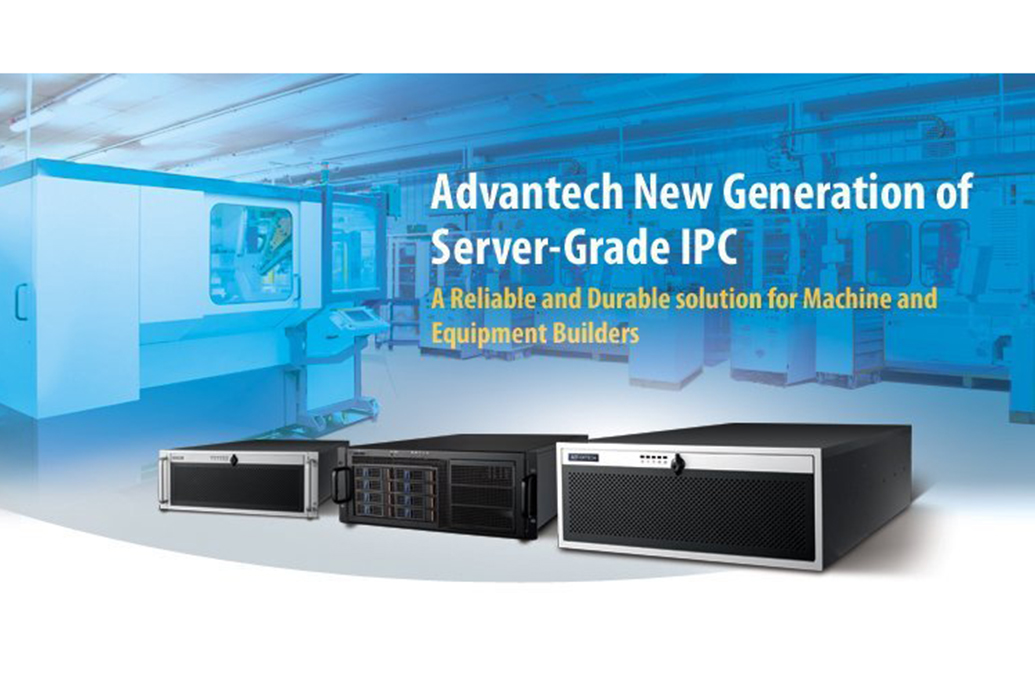
4U Chassis w/4 SAS/SATA Trays for EATX/
HPC-7442MB-00XE- Supports EATX/ATX motherboard in short-depth 4U rackmount/tower chassis
- Shock-resistant disk drive bay holds four mobile 3.5 inch and 2.5 inch SAS/SATA disk trays, one slim optical disk drive, and one 3.5 inch internal drive
- With installation of optional storage upgrade kit, eight mobile HDD trays provide high storage capacity
- Supports 80plus single and redundant power supply
- Front-accessible system fan without opening top cover for easy maintenance
- LED indicators and audible alarm notification for system fault detection
- Smart fan speed control for system fans
- Remote management (with new alarm board + SUSIAccess)

Frequently Asked Questions
The chassis supports up to four mobile SAS/SATA HDD trays by default, expandable to eight after adding the storage upgrade kit. Each tray accepts a 2.5" or 3.5" SAS or SATA HDD. In addition, there is one slim-type optical disk drive bay and one 3.5" internal HDD bay.
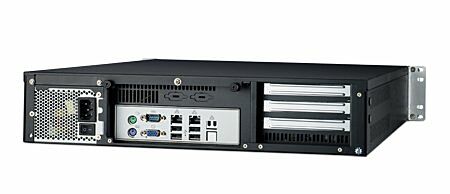
The front panel provides dual USB ports behind the lockable door, along with the power switch, system reset button, alarm reset button, and a reserved system recovery button. The rear panel has reserved openings for five 9-pin D-SUB connectors and one 68-pin SCSI connector.
The HPC-7442 supports single or 1+1 redundant ATX power supplies with PFC, in 500 W, 700 W, or 800 W configurations depending on the option chosen. All options accept 100~240 VAC full-range input and carry UL/TUV/CB/CCC safety certification. Exact options are subject to the product datasheet on the Advantech website.
The chassis is rated for 0 to 40°C (32 to 104°F) operating temperature, and -40 to 70°C (-40 to 158°F) non-operating. Operating humidity is 10~95% at 40°C, non-condensing. The unit is CE compliant.
The HPC-7442 is a 4U rackmount chassis measuring 482 x 177 x 600 mm (19" x 7" x 23.6") (W x H x D) and weighing 18.5 kg (40.68 lbs).
The HPC-7442 supports versatile EATX/ATX motherboards.
The chassis uses one 12 cm x 12 cm (114 CFM) front-accessible cooling fan, plus one or two (with the storage upgrade kit) 8 cm x 8 cm (56 CFM) fans behind the SAS/SATA HDD backplane. One easily maintained reusable air filter sits behind the front door.
The alarm board monitors system temperature, fan status, power, and HDD status, using up to 4 external temperature sensors and 7 fan tachometer inputs. It raises an alert via an on-board buzzer and LED indicators if a redundant power module fails, a cooling fan fails, or chassis temperature gets too high. Pressing the alarm reset button on the front panel stops the beeping; the system should then be inspected and repaired.
Yes. Installing SUSIAccess allows remote monitoring of system fan speed, system temperature, CPU temperature, and voltage, and lets you set custom alarm thresholds. The alarm board also supports web-based remote configuration, control and monitoring, plus remote reset, power down/up, and digital output signal control.
How-to Guides
- Turn off the power, unplug the power cord, and ground yourself by touching the metal chassis before handling any internal components.
- Remove the top cover of the chassis.
- Locate the yellow label indicating the copper stub locations for motherboard mounting.
- Install the motherboard into the chassis using the marked stub locations, then secure it with the provided screws.
- Push up the latch on the mobile tray and remove the tray from the chassis.
- Mount a 2.5" or 3.5" SAS or SATA HDD into the tray.
- Slide the tray back into the chassis bay until the latch locks it in place.
- Temporarily remove the internal HDD bracket, the slim-type optical disk drive bracket, and the LED panel bracket.
- Permanently remove the front panel.
- Install the disk drive upgrade kit along with the slim-type optical disk drive bracket and the LED panel bracket.
- Reinstall the internal HDD bracket.
- For surface mounting, install the four foot stands underneath the chassis.
- For rack mounting, install the chassis in the cabinet using the supplied slide rail or pallet.
- To replace the system cooling fan, this can be done without removing the top cover.
- To replace an HDD fan, access it as shown in the replacement diagram.
- To replace the power supply, remove the single power supply module or, on redundant configurations, the failed power supply module.
- Ensure the power cord plug orientation matches the socket when reconnecting.
| Manufacturer | Advantech |
|---|---|
| Humidity | Operating: 10 ~ 95% @ 40°C, non-condensing|Storage: 10 ~ 95% @ 60°C, non-condensing |
| Operating Temperature | 0°C ~ 45°C |
| Storage Temperature | -40°C ~ 70°C (-40°F ~ 156°F) |
| Shock | 10 G (with 11 ms duration, half sine wave) |
| Weight | 18.5 kg (40.68 lb) |
| Dimension | 482mm x 177mm x 600 mm (19" x 7.0" x 23.6") |