
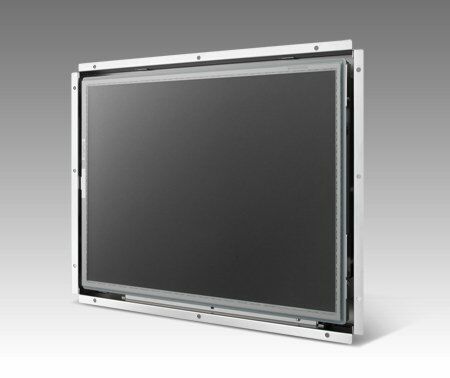
IDS-3112
IDS-3112Starting at $345.00
Main Features:
- 12.1" 1024 x 768 XGA, 800 x 600 SVGA panel with LED backlight for 20% power saving and environmental protection
- -20C~+60C wide operating temperature support
- 5-wires resistive touchscreen solution
- Combo touch interface of RS-232 and USB
- Dual signal interface with VGA and DVI
- Integrated bracket for easy installation
- Versatile mounting methods for Rear mounting and VESA mounting
- Anti-Reflective surface treatment for sunlight readable enhancement (optional)
- Ultra high brightness solution of 1200 nits for outdoor application (optional)

Frequently Asked Questions
The IDS-3112 is a 12.1" LED panel available in two resolutions depending on model variant: the IDS-3112 (XGA) offers 1024 x 768 resolution, while the IDS-3112 (SVGA) and IDS-3112E (SVGA) offer 800 x 600 resolution.
The IDS-3112 (XGA) and IDS-3112 (SVGA) models include one VGA input, one DVI-D input, and a 12V DC jack. The IDS-3112E (SVGA) model includes one VGA input and one 12V DC jack (no DVI-D).
Yes. The IDS-3112 supports either a 5-wire resistive touchscreen or a projected capacitive (P-Cap) touchscreen. Touch is connected via a combo interface using both RS-232 and USB, and the USB and RS-232 ports are reserved for enabling touch usage only.
The IDS-3112 (XGA) and IDS-3112 (SVGA) models operate from -20° C to +60° C (-4° F to 140° F). The IDS-3112E (SVGA) model has a narrower operating range of 0° C to 45° C (32° F to 113° F).
The IDS-3112 uses a 36 W power adapter with AC 100~240V input and DC +12V @ 3A output.
The IDS-3112 is RoHS compliant (2002/95/EC) and meets CE/FCC/CCC EMC compliance standards.
The IDS-3112 supports rear mounting and VESA mounting, using an integrated bracket designed for easy installation.
The IDS-3112 has physical Menu, Up, Down, and Auto Adjust keys, plus a monitor power on/off key. The OSD menu allows adjustment of brightness, contrast, screen setting, color temperature, language, VGA/DVI source selection, recall, and auto adjust (menu options vary slightly by model).
How-to Guides
- Identify the VESA mounting holes on the rear of the monitor, marked at the VESA center points shown in the dimension diagrams.
- Use the integrated bracket provided with the monitor for rear mounting or VESA mounting, depending on your installation method.
- Secure the monitor using the appropriate M4 screws at the marked VESA hole positions.
- Connect the USB cable between the monitor's USB port and the host system to enable touch functionality.
- Optionally, connect the RS-232 cable (CABLE 9P/9P 1.8M M/F) between the monitor and host system, as USB and RS-232 are reserved for enabling touch usage only.
- Confirm touch operation once connected; the touchscreen type will be either 5-wire resistive or P-Cap depending on the model ordered.
- Use the included 36W power adapter rated for AC 100~240V input and DC +12V @ 3A output.
- Select the appropriate power cord for your region (USA, EU, or Japan/PSE) from the optional items list.
- Plug the adapter's DC output into the monitor's 12V DC jack.
- Connect the AC power cord to the adapter and then to a wall outlet.
| Manufacturer | Advantech |
|---|---|
| Brightness | 200-299 nit, 300-399 nit, 400+ nit |
| Resolution | 1024 x 768 |
| Screen Size | 5-7", 7.1-10", 10.1-15" |
| I/O | VGA x 1; DVI-D x 1; 12VDC Jack x 1; USB x 1; RS-232 x 1 (USB & RS-232 are reserved for the connection to enable touch usage only) |
| Max Colors | 16.2M/262K colors |
| Light Transmission | 80% +/- 3& |
| Type | 5-Wire Resistive Touchscreen / Projected Capacitive Touchscreen |
| Humidity | 5 ~ 95% @ 40° C, non-condensing |
| Operating Temperature | -20 ~ 60° C (-4 ~ 140° F) |
| Storage Temperature | -30 ~ 70° C (-22 ~ 158° F) |
| Vibration Protection | 5-500Hz, 0.026G²/Hz, 2.16Grms, X, Y, Z 1 hour per axis |
| Power Input Voltage | 36 W power adapter, with AC 100 ~ 240 V input and DC +12V @ 3 A output |