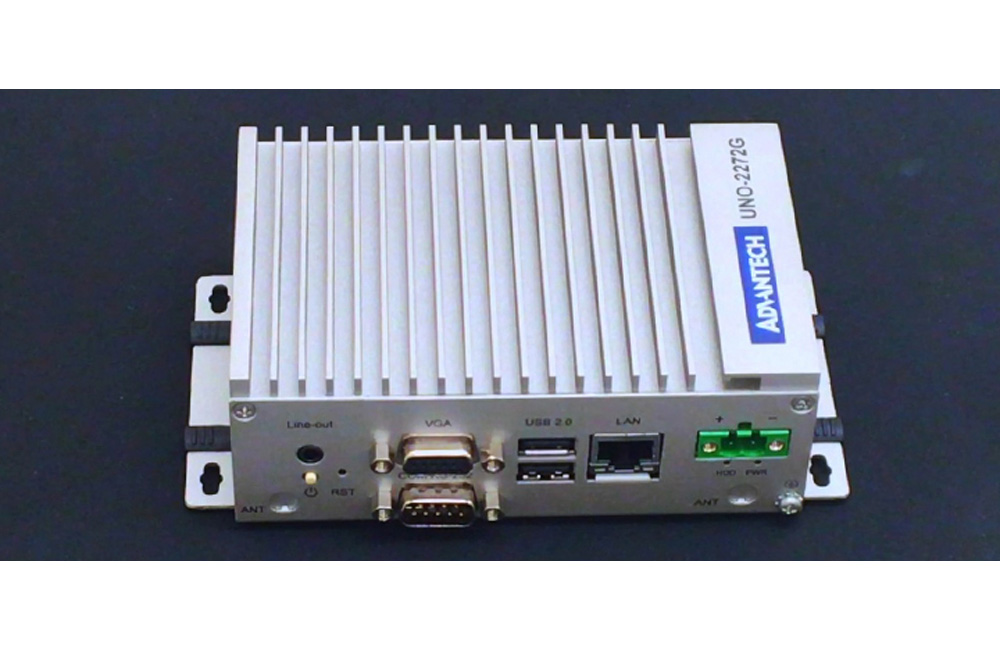
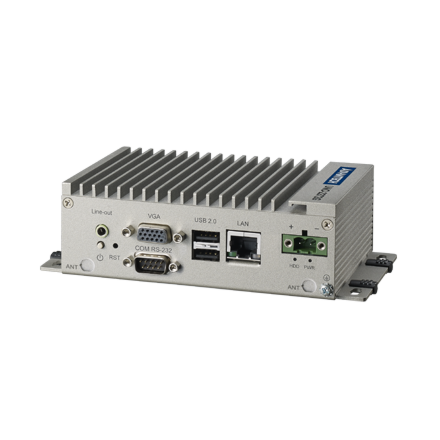
Intel Atom Palm-Size Automation Computer with 1 x GbE, 2 x mPCIe, VGA
UNO-2272GStarting at $845.00
Main Features
- Latest Intel Atom Processors up to 1.86 GHz with 2GB DDR3 Memory
- 1 x GbE, 3 x USB 2.0, 1 x RS-232, 1 x VGA, Audio
- Comprehensive Palm, Small, Regular-size form-factor
- Compact with Fanless Design
- Rubber Stopper Design with Captive Screw
- Dual HDD/SSD support with RAID 0/1 in regular-size
- Diverse system IO and Isolated Digital IO by iDoor Technology
- Supports Fieldbus Protocol by iDoor Technology
- 3G/GPS/GPRS/Wi-Fi Communication by iDoor Technology
- Supports MRAM by iDoor Technology
- Chassis Grounding Protection

Frequently Asked Questions
The UNO-2272G provides:
- 1 x RS-232 serial port (COM1); on the UNO-2272G-J2AE this port can be switched to RS-422/485 via BIOS option
- 1 x Gigabit Ethernet (RJ-45), Intel 82583V controller on the N2AE model or Intel i210 controller on the J2AE model
- 3 x USB ports (all USB 2.0 on the N2AE model; two USB 2.0 and one USB 3.0 on the J2AE model)
- 1 x VGA (N2AE model, up to 1920x1200 @60Hz 24bpp) or 1 x HDMI (J2AE model, up to 1920x1080 @60Hz 24bpp)
- 1 phone jack connector for 7.1 channel HD audio output
The UNO-2272G requires a 24 VDC input (+/-20%) supplied through a Phoenix power connector with reversed wiring protection. Typical power consumption is 12 W, with a maximum of 20 W. The unit is intended to be supplied by a Listed DC Power Source rated 24 Vdc, 1 A minimum, Tma 60°C.
The UNO-2272G-N2AE operates from -20 to 60°C. The UNO-2272G-J2AE operates from -10 to 55°C.
The UNO-2272G-N2AE uses an Intel Atom Dual Core N2800 processor at 1.86GHz with 2GB of built-in DDR3 1600MHz RAM. The UNO-2272G-J2AE uses an Intel Celeron Quad Core J1900 processor at 2GHz with 2GB of built-in DDR3L 1600MHz RAM. Both use Intel HD Graphics.
The UNO-2272G-N2AE supports 1 x Full-size mSATA plus 1 x Full-size mPCIe slot and 1 x Half-size mPCIe slot (mPCIe 2.0). The UNO-2272G-J2AE supports 1 x Half-size mSATA plus 2 x Full-size mPCIe slots (mPCIe 2.0). On both models, one mPCIe slot is dedicated to mSATA storage, and the remaining slot(s) can be used for iDoor technology modules (e.g., isolated COM port, Profibus, WLAN, GPRS, 3G, mRAM).
The UNO-2272G supports multiple operating systems and drivers, including Windows 7, Windows Embedded Standard 7 (WES7), and embedded Linux. A Driver DVD is included with the unit.
The UNO-2272G supports wireless and cellular expansion through its mPCIe slots, which can accept Wi-Fi or 3G modules using Advantech's iDoor technology. Note that an additional SIM card slot is disabled on models produced before June 2015 - a 3G Mini-PCIe module with a built-in SIM card slot is still required for 3G functionality on those units.
The UNO-2272G uses a CR2032 RTC battery with an output voltage of 3V DC, which keeps BIOS settings and the system clock intact during short power interruptions.
The UNO-2272G supports ACPI (Advanced Configuration and Power Interface), including multiple suspend modes: Power on Suspend (S1), Suspend to RAM (S3), and Suspend to Disk (S4). In S3 and S4 modes, power consumption can be less than 2W, meeting Energy Star criteria.
How-to Guides
- Remove the power cord from the unit.
- Unscrew the six screws on the bottom cover.
- Plug an mSATA card containing your OS and application program into the first mPCIe slot: CN6 for UNO-2272G-N2AE or CN15 for UNO-2272G-J2AE.
- Screw the two screws on the board to secure the mSATA card.
- Screw the bottom cover back into place.
- Ensure the power source is a Listed DC Power Source rated 24 Vdc, 1 A minimum, Tma 60°C.
- Connect the power leads to the Phoenix power connector: Pin 1 is V+ (24VDC) and Pin 2 is V-.
- The connector features reversed wiring protection, so accidental reversal of ground and power lines will not damage the system.
- Connect the chassis grounding point for EMI protection and a stable ground base before powering on.
- Disconnect power and ground yourself to avoid static damage before opening the chassis.
- Identify the correct mPCIe socket: on the UNO-2272G-N2AE, use CN8 (half-size) or CN10 (full-size, targeted for iDoor modules); on the UNO-2272G-J2AE, use CN16 or CN10 (both full-size, targeted for iDoor modules).
- Insert the mPCIe card into the appropriate socket using the optional installation kit.
- Secure the card using the mPCIe screws included with the accessory kit.
- Reassemble the bottom cover.
| Manufacturer | Advantech |
|---|---|
| Mounting | Stand, Wall, VESA (Optional) |
| Memory | Built-in 2GB DDR3 1600 MHz |
| Humidity | 10 ~ 95% RH @ 40 C, non-condensing |
| Operating Temperature | -20°C ~ 60°C (-4°F ~ 140°F) @ 5 ~ 85% RH with 0.7m/s airflow |
| Storage Temperature | -40 ~ 85°C ( -40 ~ 185°F) |
| Shock | Operating, IEC 60068-2-27, 50G, half sine, 11ms |
| EMC | CE, FCC, UL, CCC, BSMI |
| Weight | 0.8 kg (1.76 lb) |