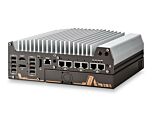
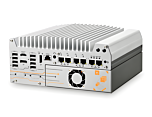
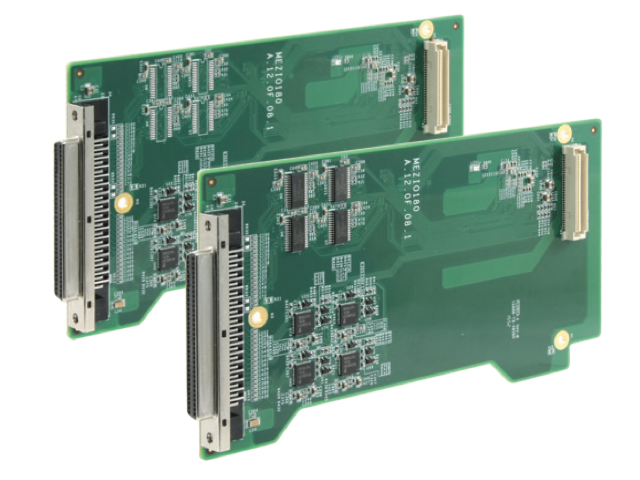
MezIO-C180: 4 x RS-232/422/485 Ports and 4x RS-232 Ports
MezIO-C180Works with POC-300, Nuvo-5000 Series, and the Nuvo-7000 Series Platforms from Neousys
Main Features:
- 4x RS-232/422/485 multi-mode ports
- 4x RS-232 ports
- Up to 921.6 Kbps baud rate
- BIOS-configurable mode/termination
- Supports Windows 7/8/8.1/10
- SCSI-II 68-pin connector

Frequently Asked Questions
The MezIO-C180 provides 8 serial ports total: 4 ports that are software-selectable RS-232/422/485 and 4 fixed RS-232 ports. This differs from the MezIO-C181, which has the same 4 multi-mode ports but the other 4 fixed as RS-422/485.
The module supports baud rates from 50 bps to 921,600 bps (921.6 Kbps), with 256-byte TX and RX FIFOs on each port.
The MezIO-C180 supports Windows 7, 8, 8.1, and 10, as well as Linux kernel 2.6.32 or later.
The MezIO-C180 uses a 68-pin SCSI-II female connector. An optional cable, Cbl-S68M-8DB9M-50CM, converts this SCSI-68(M) connector to 8x DB-9(M) connectors over a 50 cm cable.
The mode and termination settings for the multi-mode ports are configured through BIOS settings, rather than physical jumpers.
The MezIO-C180-50 variant is designed for Nuvo-7000, Nuvo-5000, POC-500, and POC-300 series systems. The MezIO-C180-12 variant is designed for the POC-120 series.
Depending on the selected mode, the interface signals are: RS-232 - TxD, RxD, RTS, CTS, DTR, DSR, DCD, GND; RS-422 - TxD+, TxD-, RxD+, RxD-, GND; RS-485 - Data+, Data-, GND.
How-to Guides
- Determine which UART channels (UART0-UART7) on the MezIO-C180 are configured for RS-232 mode. On the MezIO-C180, UART0-UART3 are multi-mode (RS-232/422/485) and UART4-UART7 are fixed RS-232.
- Reference the Board Side RS-232 pin-out table for the 68-pin SCSI-II connector to locate the specific TxD, RxD, RTS, CTS, DTR, DSR, DCD, and GND pins for the UART channel you are wiring.
- Connect your cable or breakout board pins according to the table, matching each signal to its assigned pin number.
- Verify GND pins are connected to avoid floating signal reference.
- Determine which serial mode (RS-232, RS-422, or RS-485) the port is configured for via BIOS.
- Reference the DB9 connector pin-out table for that mode. For RS-232, use pins 1-8 for DCD, RxD, TxD, DTR, GND, DSR, RTS, CTS. For RS-422, use the labeled TXD+/-, RXD+/- pins. For RS-485, use the shared TXD+/RXD+ and TXD-/RXD- pins.
- Connect the device's corresponding signal wires to the matching DB9 pins.
- Confirm GND (pin 5) is connected between the MezIO-C180 and the connected device.
- Obtain the Cbl-S68M-8DB9M-50CM cable, which converts the 68-pin SCSI-II connector to 8x DB-9(M) connectors.
- Attach the SCSI-68(M) end of the cable to the MezIO-C180's 68-pin SCSI-II female connector.
- Connect each of the 8 DB-9(M) connectors to your RS-232 or RS-422/485 serial devices, matching each DB9 connector to the intended UART channel.