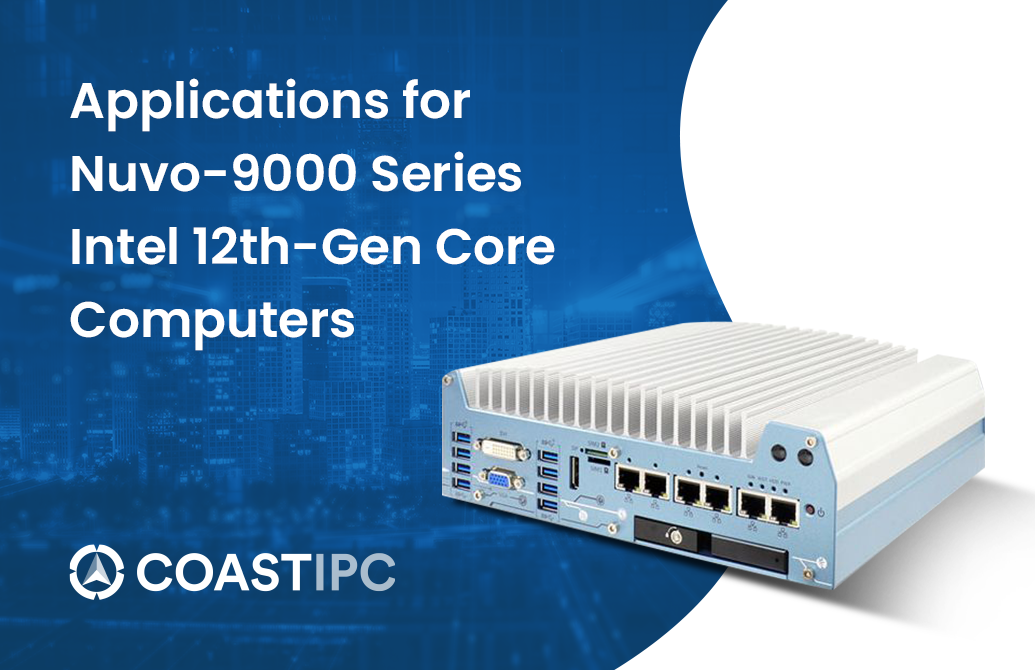
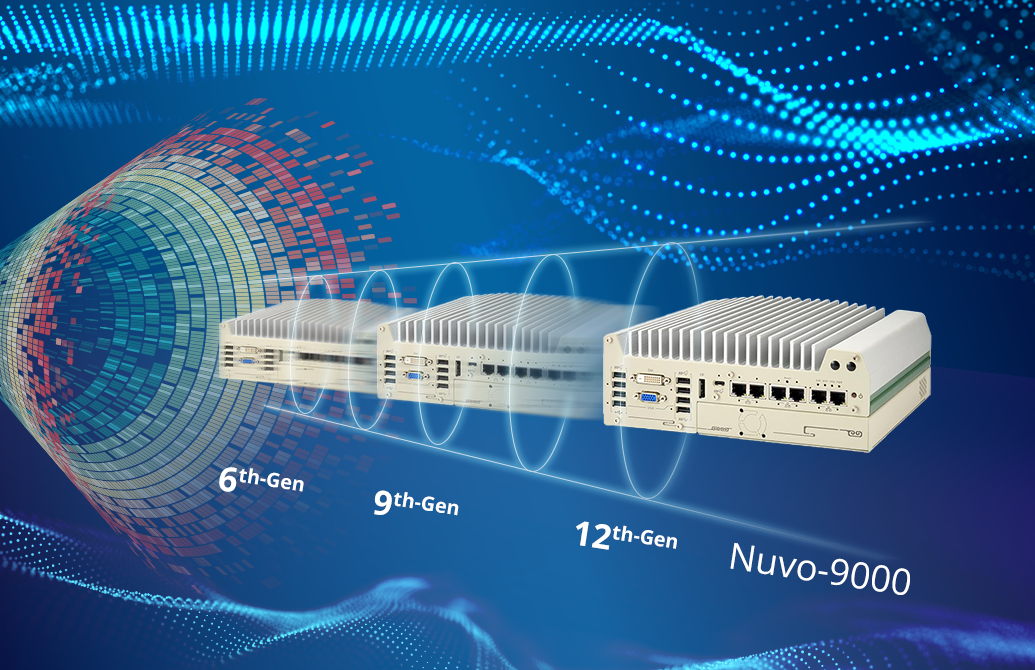
Nuvo-9531: Intel 14th/13th/12th -Gen Core i9/i7/i5/i3 Compact Fanless Computer with 4x 2.5GbE, 4x USB3.2 and 1x Hot Swappable HDD Tray
Nuvo-9531 SeriesStarting at $1,365.00
Nuvo-9531 is one of the most compact fanless embedded computers based on the Intel 14th/13th/12th-Gen platform. Measuring just 212 x 165 x 63 mm, it can fit into restricted spaces, such as in robotic arm and AMR applications. Despite its compact size, Nuvo-9531 does not compromise on performance. Built on the advanced Intel 7 process, Intel 14th-Gen processors have up to 24 cores/ 32 threads to deliver up to 2x the performance when compared to previous Intel 10th or 11th-Gen platforms. Nuvo-9531 is a compact fanless embedded computer that offers the ultimate computing for various industrial applications.
- 212 x 165 x 63 mm low-profile design
- Intel 14th/13th/12th -Gen Core 35W/ 65W LGA1700 CPU
- Rugged, -25°C to 60°C fanless operation
- 4x 2.5GbE with optional PoE+ and 4x USB3.2 Gen 1 with screw-lock
- M.2 2280 Gen4x4 NVMe and 1x hot-swappable HDD tray for storage
- 4-CH isolated DI and 4-CH isolated DO
- VGA + DP dual display outputs
- Optional ignition power control

Frequently Asked Questions
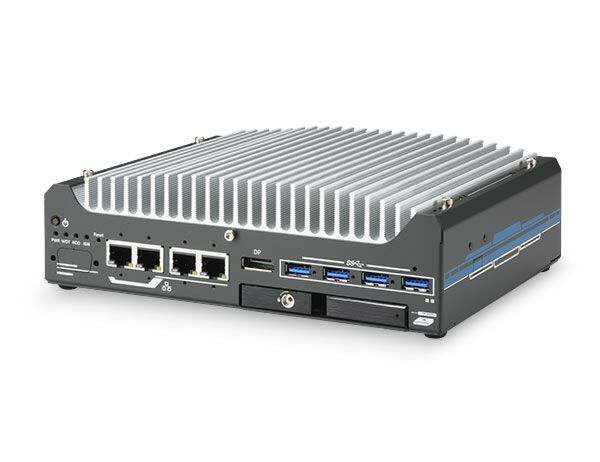
The Nuvo-9531 provides four 2.5GBASE-T Ethernet ports (Intel I226-IT controller, optional IEEE 802.3at PoE+), four USB 3.2 Gen1 (5 Gbps) ports with screw-lock, two USB 2.0 ports, one VGA output (up to 1920 x 1200), one DisplayPort (up to 4096 x 2304), one software-programmable RS-232/422/485 port (COM1), three 3-wire RS-232 ports or one RS-422/485 port (COM2/3/4), a 3.5 mm mic-in/speaker-out jack, and a DB15 connector providing 4-channel isolated digital input and 4-channel isolated digital output.
The system accepts 8-48V DC input via a 3-pin pluggable terminal block, which also supports an optional ignition power control / remote on-off function. Measured power consumption examples include: i7-12700 in 65W mode, 141.4W max at 24V and 146.4W max at 48V; i7-12700TE in 35W mode, 106.6W max at 24V and 111.8W max at 48V; i5-12400 in 35W mode, 105.1W max at 24V and 110.9W max at 48V; i5-12400 in 65W mode, 120.5W max at 24V and 126.2W max at 48V.
With a 35W CPU, the operating temperature range is -25°C to 60°C. With a 65W CPU, the same -25°C to 60°C range applies but installation of the optional fan kit is recommended (and required for ambient above 50°C). Storage temperature is -40°C to 85°C. Humidity tolerance is 10%-90% non-condensing. The system is rated for operating vibration per MIL-STD-810G Method 514.6 Category 4 and operating shock per MIL-STD-810G Method 516.6 Procedure I, Table 516.6-II. EMC compliance is CE/FCC Class A per EN 55032 and EN 55035. Note that sub-zero operation requires a wide-temperature HDD or SSD.
Storage includes one hot-swappable 2.5" HDD/SSD tray (for 7mm drives) and one M.2 2280 M-key socket (PCIe Gen4 x4) for NVMe SSDs supporting read/write speeds up to 7000 MB/s. Memory is a single SO-DIMM slot supporting up to 32GB non-ECC DDR4-3200. Expansion is provided via two full-size mini PCI Express sockets with internal SIM sockets, and one M.2 2230 E-key socket for WiFi5, WiFi6, or Google Edge TPU modules.
Neousys has tested Microsoft Windows 10 LTSC 2021 (x64) and Ubuntu 20.04.5 LTS, 22.04 LTS, 22.04.1 LTS, or other distributions with kernel version 5.15 or later. For Linux, users may need to manually compile and install the driver for Intel graphics or the I226 GbE controller if not already included in the kernel. Some Linux distributions may not fully support features such as dual independent display.
The Nuvo-9531 measures 212mm (W) x 165mm (D) x 63mm (H) and weighs 2.4-2.5 kg. It supports wall-mount (standard, using included brackets) or optional DIN-rail mounting. The Nuvo-9531-FT variant measures 212mm (W) x 165mm (D) x 45mm (H), weighs 2.4 kg, and supports an optional wall-mount bracket, relying on its flattop heatsink for thermal conduction when mounted to a metal panel.
The system provides two full-size mini PCI Express sockets with internal SIM sockets for installing modules such as WiFi, GPS, or CAN bus, and one M.2 2230 E-key socket (PCIe Gen3 x1 and USB 2.0) for WiFi 6/5 or Google Edge TPU modules. Dedicated SMA antenna openings are provided on the chassis sides.
The Nuvo-9531 is 63mm tall, weighs 2.5 kg, and uses a fanless design with wall-mount (standard) or optional DIN-rail mounting; an optional fan kit is available for 65W CPUs. The Nuvo-9531-FT is 45mm tall, weighs 2.4 kg, uses a flattop heatsink that relies on conduction through a metal panel for cooling (65W CPUs must be configured in 35W TDP mode), and supports only an optional wall-mount bracket (no fan kit, no DIN-rail option documented).
Yes. Optional IEEE 802.3at PoE+ PSE is available for the four 2.5GbE ports, with a 100W total power budget and up to 25W delivered per port. PoE can be enabled/disabled in BIOS, and each port can be individually enabled/disabled. Software APIs (GetStatusPoEPort, EnablePoEPort, DisablePoEPort) are also available for on/off control.
How-to Guides
- Refer to the disassembly section; you may not need to fully dismantle the system to access the expansion slot.
- Locate the M.2 2280 slot on the motherboard.
- Insert the module at a 45 degree angle.
- Gently press down and secure the module with an M3 P-head screw.
- If installing for the first time, remove the thermal pad protective film attached to the bottom of the hot-swappable tray enclosure.
- Reinstall the system enclosure or trapdoor when done.
- Refer to the disassembly section; you may not need to completely dismantle the system to access the memory slot.
- Locate the SO-DIMM memory module slot on the motherboard.
- Insert the gold fingers of the module into the slot at a 45 degree angle, then push down on the edge of the module so the side clips secure it into position.
- Push the memory module down until it clips in.
- If installing for the first time, remove the thermal pad protective film attached to the bottom of the hot-swappable tray enclosure.
- Reinstall the system enclosure and panel when done.
- Connect the vehicle's Battery+ line (12V for sedan, 24V for bus/truck) to the V+ pin on the 3-pin terminal block.
- Connect the vehicle's Battery-/GND line to the GND pin.
- Connect the ACC line to the IGN pin.
- Ensure your DC power source and IGN signal share the same ground. The IGN input accepts 8-48VDC; supplying a voltage higher than 48VDC may damage the system.
- For wall mounting: take the two wall-mount brackets from the accessory box and use four M4 screws to secure the brackets to the enclosure, then fix the assembly to a sturdy flat surface.
- For DIN-rail mounting (optional kit): fix the DIN-rail mounting clip to the bracket using four M4 flat-head screws, then fix the bracket assembly to the Nuvo-9531 enclosure using another four M4 screws.
- Make sure the Intel chipset and Ethernet driver are properly installed.
- Press F2 during boot to enter BIOS setup utility.
- Go to
Power>Wake On LANand set it toEnabled. - Press F10 to save changes and exit BIOS, then boot into Windows.
- In Windows, open Network Connections, locate the Intel I226 Gigabit Network Connection adapter, and click Configure.
- On the Power Management tab, enable the wake-on-LAN related options and click OK.
Ultimate Performance within Compact Size! Fit for Applications that Require High-performance Platforms in Confined Spaces
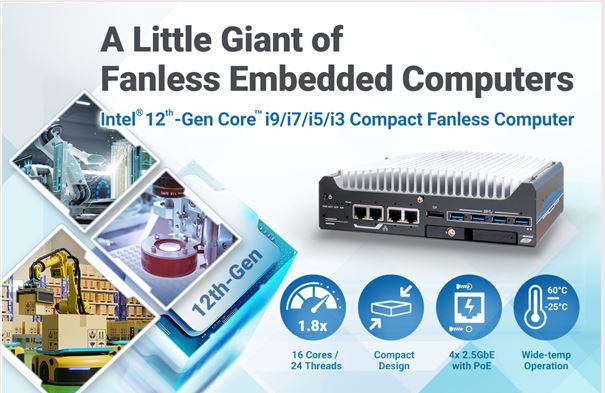
Neousys Nuvo-9531 is a compact fanless computer based on Intel® 12th-Gen platform. Despite its 212 x 165 x 63 mm dimensions, Nuvo-9531 features Intel 12th-Gen CPU with up to 16 cores to deliver up to 1.8x the performance when compared to Intel 11th-Gen platforms.
Nuvo-9531 has four 2.5GbE with optional PoE+, and four screw-lock USB 3.2 Gen 1 ports to connect to cameras. In addition, it features an NVMe Gen4x4, a hot-swappable HDD tray, and 8-CH isolated DIO ports. It also has two mPCIe and one M.2 E key slots for WiFi or 5G/ 4G wireless communication modules.
Nuvo-9531 is suitable for confined space applications such as in an AMR, robotic arm, or machine vision.
Nuvo-9531 is one of the most compact fanless embedded computers based on the Intel 14th/13th/12th-Gen platform. Measuring just 212 x 165 x 63 mm, it can fit into restricted spaces, such as in robotic arm and AMR applications. Despite its compact size, Nuvo-9531 does not compromise on performance. Built on the advanced Intel 7 process, Intel 14th-Gen processors have up to 24 cores/ 32 threads to deliver up to 2x the performance when compared to previous Intel 10th or 11th-Gen platforms. Nuvo-9531 is a compact fanless embedded computer that offers the ultimate computing for various industrial applications.
Nuvo-9531 has rich I/O functions. It features four 2.5GbE with optional PoE+ PSE and four USB3.2 Gen1 ports for multiple camera connectivity for machine vision and surveillance applications. In addition, it features a Gen4 x4 M.2 NVMe slot for the latest NVMe SSD that supports read/ write speeds up to 7000 MB/s; a hot-swappable HDD tray to hot-swap the storage drive without turning off the system or dismantling the chassis; two mPCIe and one M.2 E key slots to install WiFi or 5G/ 4G wireless communication modules. The system is also equipped with 8x DIO, 2x COM ports, and dual display outputs for your industrial embedded application needs.
As a compact embedded computer, Nuvo-9531 delivers excellent computing performance and offers an abundance of I/O connections. It is suitable for a variety of industrial applications, especially when installation space is limited.
| Product Available On | Dec 28, 2022 |
|---|---|
| Manufacturer | Neousys |
| Short Description | Nuvo-9531 is one of the most compact fanless embedded computers based on the Intel 14th/13th/12th-Gen platform. Measuring just 212 x 165 x 63 mm, it can fit into restricted spaces, such as in robotic arm and AMR applications. Despite its compact size, Nuvo-9531 does not compromise on performance. Built on the advanced Intel 7 process, Intel 14th-Gen processors have up to 24 cores/ 32 threads to deliver up to 2x the performance when compared to previous Intel 10th or 11th-Gen platforms. Nuvo-9531 is a compact fanless embedded computer that offers the ultimate computing for various industrial applications. |
| Processor | Supporting Intel 14th-Gen Core CPU (LGA1700 socket, 65W/ 35W TDP) Supporting Intel 13th-Gen Core CPU (LGA1700 socket, 65W/ 35W TDP) Supporting Intel 12th-Gen Core CPU (LGA1700 socket, 65W/ 35W TDP) |
| Graphics | Integrated Intel® UHD Graphics 770 (32EU) |
| Memory | Up to 32GB non-ECC DDR4 3200 SDRAM (one SODIMM slot) |
| Chipset | Intel® H610E platform controller hub |
| Video Port | 1x VGA output, supporting 1920 x 1200 resolution 1x DisplayPort, supporting 4096 x 2304 resolution |
| Audio | 1x 3.5 mm jack for mic-in and speaker-out |
| DIO | 4-CH isolated DI and 4-CH isolated DO |
| Mini PCI-E | 2x full-size mini PCI Express sockets with internal SIM sockets |
| SATA HDD | 1x hot-swappable 2.5" HDD/ SSD tray |
| DC Input | 1x 3-pin pluggable terminal block for 8 to 48V DC input |
| Dimension | 212mm (W) x 165 mm (D) x 63 mm (H) |
| Weight | 2.5 kg |
| Mounting | Wall-mount (standard) or DIN-rail mount (optional) |
| Operating Temperature | With 35W CPU -25°C ~ 60°C * |
| Storage Temperature | -40°C ~ 85°C |
| Humidity | 10%~90% , non-condensing |
| Vibration | Operating, MIL-STD-810G, Method 514.6, Category 4 |
| Shock | Operating, MIL-STD-810G, Method 516.6, Procedure I, Table 516.6-II |
| EMC | CE/FCC Class A, according to EN 55032 & EN 55035 |
| CPU Family | Intel Core |
| Video Output | Display Port, VGA |
| Serial Ports | 3-4 |
| USB 2.0 | 1-2 |
| USB 3.2 | 1 - 4 |