
PCIe-10G550X: 2-Port 10GbE Network Adapter
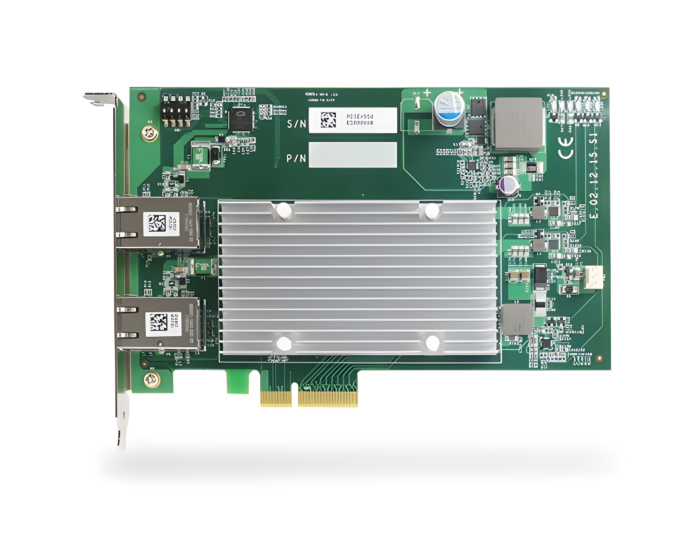
PCIe-10G550X- Two 10 GbE ports by Intel® X550-AT2 10 GigE controller
- Gen3 PCI Express x4 interface
- Supports 10GbE with CAT-6/ 6a cable (Max. 100 meters)
- Supports NBASE-T and 1000BASE-T with CAT-5/ 5e cable
- Supports 15.5 KB jumbo frame, NIC teaming and IEEE 1588

Frequently Asked Questions
The PCIe-10G550X has two 10 GbE ports, implemented via the Intel® X550-AT2 10 Gigabit Ethernet controller. The ports support 15.5 KB jumbo frames, NIC teaming, and IEEE 1588.
No. The PCIe-10G550X is the non-PoE version of this card. According to the datasheet ordering information, PCIe-PoE550X is the model that adds IEEE 802.3at PoE+ capability, while PCIe-10G550X is described simply as a "2-port 10GbE Network Adapter" without PoE. The PCIe-10G550X specification table also omits the PoE Capability and PoE-related power line found in the PoE550X table.
It uses a Gen3 PCI Express x4 interface.
- 10GBASE-T: CAT 6a cable up to 100 meters, or CAT 6 cable up to 55 meters
- 5 Gbps NBASE-T: CAT 6 cable up to 100 meters
- 2.5 Gbps NBASE-T: CAT 5e cable up to 100 meters
The card is also backward compatible with 1000BASE-T (IEEE 802.3ab).
The card draws a maximum of 11.5W for two-port 10 GbE operation.
The PCIe-10G550X operates from 0°C to 60°C with air flow. It carries CE Class A (EN 55024/55032) and FCC Class A (Part 15, Subpart B) EMC certification, and IEC 61000-4-x Class/Level 3 EMS compliance.
The card measures 168 mm (W) x 111.2 mm (H) per the datasheet (listed as 167.7 mm (W) x 111.2 mm (H) in the user manual).
The PCIe-10G550X supports IEEE 802.3an (10GBASE-T), IEEE 802.3bz (NBASE-T), and IEEE 802.3ab (1000BASE-T) Ethernet standards. It also supports 15.5 KB jumbo frames, NIC teaming, and IEEE 1588 timing.
The user manual documents driver installation for Windows 10 64-bit, using the Intel PROSet driver package included on the Neousys driver DVD. Some operating systems may include built-in drivers, but Neousys recommends installing the provided driver to access all features.
How-to Guides
- Save and close all work in progress.
- Power off and unplug the power cable from the system.
- Open the chassis side panel of the computer.
- Locate the x4 PCIe slot, or a spare and compatible x8/x16 PCIe slot.
- Align and insert the card's gold finger into the PCIe slot, making sure the panel is inserted into the hinge.
- Secure the card to the chassis with a screw.
- Reinstall the system's chassis panel to complete the hardware installation.
- Plug in the power cable and power up the system.
- Insert the Neousys driver DVD included in the package into the DVD-ROM.
- When the setup utility launches, click "Automatic Driver Installation." The utility detects your operating system and installs the corresponding driver.
- Alternatively, install manually for Windows 10 64-bit using the driver package located at
Driver_Pool\GbE_I210_I350\Win_10_64_CFL\APPS\PROSETDX\Winx64\DxSetup.exeon the driver media. - The setup utility will automatically reboot Windows to complete installation.
- Press Windows key + E, right-click Network, and select Properties.
- Right-click the Intel® Ethernet Controller X550 connection and select Properties.
- Click Configure, then click the Advanced tab.
- Highlight Jumbo Packet and select a jumbo frame size from the Value drop-down list (9014 Bytes is recommended for devices with high data rate).
- Press Windows key + E, right-click Network, and select Properties.
- Right-click the Intel® Ethernet Controller X550 connection and select Properties.
- Click Configure, click the Advanced tab, highlight Performance Options, and click Properties.
- Highlight Receive Buffers and enter a value (maximum 2048 Bytes; 2048 Bytes is recommended for devices with high data rate). Default is 256 bytes.
- Press Windows key + E, right-click Network, and select Properties.
- Right-click the Intel® Ethernet Controller X550 connection and select Properties.
- Click Configure, click the Advanced tab, highlight Performance Options, and click Properties.
- Highlight Transmit Buffers and enter a value (maximum 2048 Bytes; 2048 Bytes is recommended for devices with high data rate). Default is 512 bytes.
Featuring Intel X550-AT2, Neousys Technology’s PCIe-PoE550X offers a cost-effective 10GBASE-T solution for growing 10GbE applications. 10GBASE-T leverages twisted-pair copper cable and RJ45 connector, dramatically reducing the deployment cost of a 10G network. PCIe-PoE550X provides 10Gbit/s connections over a distance of up to 100 meters with CAT 6a cable or 55 meters with CAT 6 cable. It also supports the upcoming NBASE-T standard and is backward compatible with the existing 1000BASE-T GbE network, so you can easily implement it into your current network infrastructure.
-
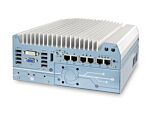
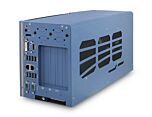
 Nuvo-8240GC Series Nuvo-8240GC: Edge AI Platform Supporting Dual Tesla T4 GPUs
Starting at $2,085.00
-
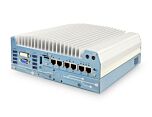
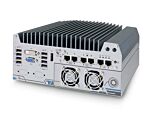
 Nuvo-8034 Series Nuvo 8034: Neousys Rugged Embedded Computer with 7 PCIe/PCI Slots
Starting at $1,545.00
-
 MIC-730AI MIC-730AI Inference System with NVIDIA Jetson AGX Xavier
Starting at $4,110.00
-
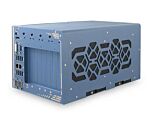
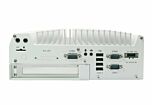
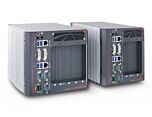 Nuvo-8000 Nuvo-8000 Series Intel 9th/8th-Gen Core Box-PC with up to 5 PCIe/ PCI Slots
Starting at $1,130.00
-
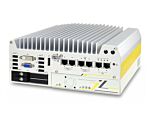
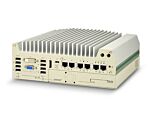 Nuvo-9000E/P/DE Nuvo-9000E/P/DE: Intel 14th/13th/12th-Gen Rugged Embedded Computer
Starting at $1,620.00
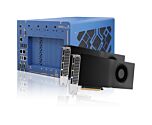
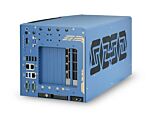
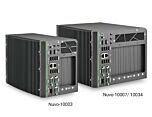
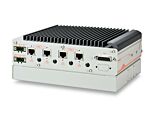

- Nuvo-8240GC Series Nuvo-8240GC: Edge AI Platform Supporting Dual Tesla T4 GPUs
Starting at $2,085.00
- Nuvo-8034 Series Nuvo 8034: Neousys Rugged Embedded Computer with 7 PCIe/PCI Slots
Starting at $1,545.00
- MIC-730AI MIC-730AI Inference System with NVIDIA Jetson AGX Xavier
Starting at $4,110.00
- Nuvo-8000 Nuvo-8000 Series Intel 9th/8th-Gen Core Box-PC with up to 5 PCIe/ PCI Slots
Starting at $1,130.00
- Nuvo-9000E/P/DE Nuvo-9000E/P/DE: Intel 14th/13th/12th-Gen Rugged Embedded Computer
Starting at $1,620.00